• Home
  • About
    • Meet the Founder
  • Who We Serve
    • Construction
      • Inland Empire
      • Los Angeles County
      • North Orange County
      • Orange County
      • Riverside County
    • Professional Services
  • Services
    • Managed Services
    • Cybersecurity Services
    • Cloud Services
  • Blog
  • Contact
Email info@msquarednetworks.com
Phone (714) 983-7646
    • Home
    • About
      • Meet the Founder
    • Who We Serve
      • Construction
        • Inland Empire
        • Los Angeles County
        • North Orange County
        • Orange County
        • Riverside County
      • Professional Services
    • Services
      • Managed Services
      • Cybersecurity Services
      • Cloud Services
    • Blog
    • Contact
M-Squared Networks
M-Squared Networks
Email
info@msquarednetworks.com
Phone
(714) 983-7646
M-Squared Networks
M-Squared Networks
M-Squared Networks
  • Home
  • About
    • Meet the Founder
  • Who We Serve
    • Construction
      • Inland Empire
      • Los Angeles County
      • North Orange County
      • Orange County
      • Riverside County
    • Professional Services
  • Services
    • Managed Services
    • Cybersecurity Services
    • Cloud Services
  • Blog
  • Contact

What Is the Best Way to Set Up Internet for a New Construction Jobsite?

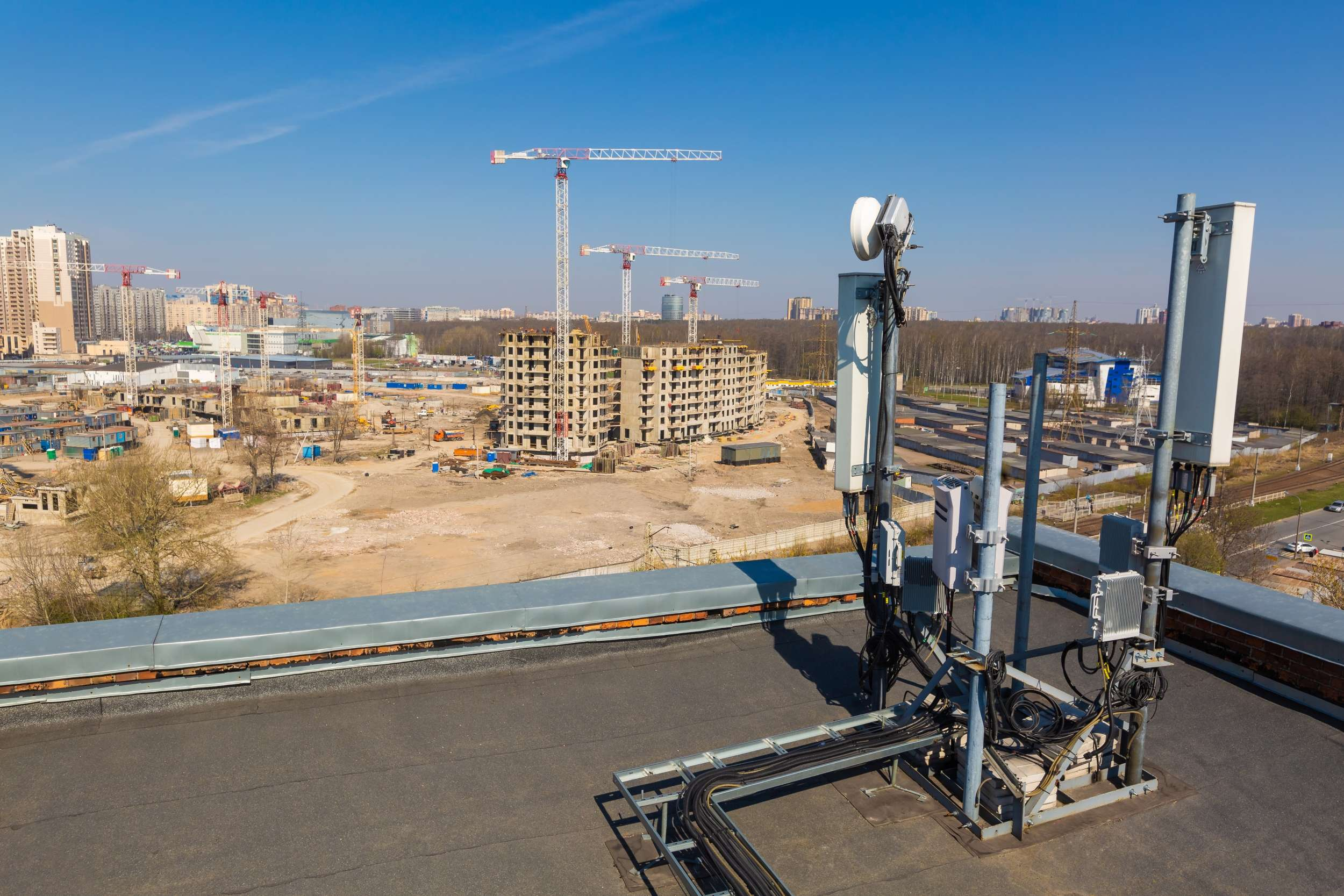
Internet equipment being set up at a construction jobsite
  • May 6, 2026
  • Michael Mendoza
  • Resources
  • 0

Construction companies across Southern California (Orange County, Inland Empire, and Los Angeles) rely heavily on internet connectivity from day one of a project.

For companies with 20–100 employees, poor internet setup at the beginning of a job can lead to:

  • Delayed inspections
  • File access issues
  • Communication breakdowns
  • Lost productivity

The key is setting up jobsite internet correctly from the start.

Here’s the best approach.


1. Start with the Right Primary Connection

The first step is choosing the best primary internet option based on the jobsite location.

Common options include:

  • Fiber (best performance, limited availability)
  • Fixed wireless (strong balance of speed and reliability)
  • LTE / 5G (fast to deploy, but less stable long-term)

Each site is different, but the goal is consistent, reliable access for field teams.

Connectivity decisions matter. Compare SD-WAN vs fixed wireless vs LTE/5G for construction jobsites.


2. Always Plan for Backup Internet (Failover)

One of the most common mistakes is relying on a single connection.

A proper setup includes:

  • A primary connection
  • A secondary backup connection
  • Automatic failover between the two

This ensures that if one connection goes down, operations continue without disruption.


Not sure where you stand? We help construction companies identify IT risks, insurance gaps, and jobsite issues before they become problems.

Request a Risk Review

3. Use Pre-Configured Network Equipment

Instead of building each jobsite network from scratch, companies should deploy:

  • Pre-configured firewalls
  • Standardized routers
  • Secure Wi-Fi setups

This allows:

  • Faster deployment
  • Consistent performance
  • Easier troubleshooting

4. Secure the Network from Day One

Jobsite networks are often overlooked from a security standpoint.

At a minimum, every site should include:

  • Password-protected Wi-Fi
  • Network segmentation (separating devices and users)
  • Firewall protection
  • Device-level security

This reduces the risk of unauthorized access and data exposure.


5. Monitor Connectivity Proactively

Internet issues should be identified before they impact operations.

Proactive monitoring includes:

  • Tracking uptime
  • Monitoring performance
  • Receiving alerts when issues occur

This allows teams to resolve problems quickly — often before users notice them.


Construction worker using tablet connected to jobsite internet

Real Example

A contractor in the Inland Empire launched a new jobsite using only LTE for connectivity.

Within the first week:

  • Upload speeds caused delays
  • Inspections were impacted
  • Teams experienced frequent disruptions

After upgrading to a fixed wireless primary connection with LTE backup:

  • Connectivity stabilized
  • Productivity improved
  • Delays were eliminated

Final Takeaway

The best jobsite internet setup includes:

  • The right primary connection
  • A backup failover solution
  • Standardized equipment
  • Built-in security
  • Proactive monitoring

Getting this right at the start of a project prevents costly delays and keeps construction operations running smoothly.


Talk to a Construction IT Expert

If you’re a general contractor or subcontractor with 20–100 employees and want to understand your real IT risks, costs, or gaps, talk to an expert who specializes in construction environments.

 No pressure. Just clear answers.

Get a Construction IT Assessment

Recent Posts

Internet equipment being set up at a construction jobsite
What Is the Best Way to Set Up Internet for a New Construction Jobsite? May 6, 2026
Construction teams coordinating across multiple jobsites using technology
What Should a Standardized IT Setup Look Like Across Multiple Construction Jobsites? May 5, 2026
Future construction jobsite using advanced technology
What Will Construction IT Look Like in the Next 3–5 Years? April 30, 2026
Construction manager evaluating IT systems
How Do You Know If Your Construction IT Is “Good Enough”? April 29, 2026

Archives

  • May 2026
  • April 2026
  • March 2026
  • February 2026
  • January 2026
  • April 2025
  • March 2025
  • May 2024
  • April 2024
  • March 2024
  • February 2024
  • January 2024

Categories

  • BCDR
  • Cloud Services
  • Compliance
  • Cybersecurity
  • Digital Technology
  • Hybrid Workforce
  • Managed IT Services
  • Ransomware
  • Resources
  • Technology
  • Training
  • Vendor Management
M-Squared Networks
Providing IT support for construction companies, contractors, professional services firms, and small businesses across Orange County, Los Angeles County, Riverside County, and the Inland Empire.

Industries

  • Construction
    • Inland Empire
    • Los Angeles County
    • North Orange County
    • Orange County
    • Riverside County
  • Professional Services

Contact Info

  • 18340 Yorba Linda Blvd.
    Suite 107-197
    Yorba Linda, CA 92886
  • (714) 983.7646
  • info@msquarednetworks.com

Follow Us On

© 2026 M-Squared Networks, LLC | All Rights Reserved

  • Home
  • About
    • Meet the Founder
  • Who We Serve
    • Construction
      • Inland Empire
      • Los Angeles County
      • North Orange County
      • Orange County
      • Riverside County
    • Professional Services
  • Services
    • Managed Services
    • Cybersecurity Services
    • Cloud Services
  • Blog
  • Contact