• Home
  • About
    • Meet the Founder
  • Who We Serve
    • Construction
      • Inland Empire
      • Los Angeles County
      • North Orange County
      • Orange County
      • Riverside County
    • Professional Services
  • Services
    • Managed Services
    • Cybersecurity Services
    • Cloud Services
  • Blog
  • Contact
Email info@msquarednetworks.com
Phone (714) 983-7646
    • Home
    • About
      • Meet the Founder
    • Who We Serve
      • Construction
        • Inland Empire
        • Los Angeles County
        • North Orange County
        • Orange County
        • Riverside County
      • Professional Services
    • Services
      • Managed Services
      • Cybersecurity Services
      • Cloud Services
    • Blog
    • Contact
M-Squared Networks
M-Squared Networks
Email
info@msquarednetworks.com
Phone
(714) 983-7646
M-Squared Networks
M-Squared Networks
M-Squared Networks
  • Home
  • About
    • Meet the Founder
  • Who We Serve
    • Construction
      • Inland Empire
      • Los Angeles County
      • North Orange County
      • Orange County
      • Riverside County
    • Professional Services
  • Services
    • Managed Services
    • Cybersecurity Services
    • Cloud Services
  • Blog
  • Contact

How to Configure Microsoft 365 for a Construction Company with 20–100 Employees

Construction office team using Microsoft 365 for collaboration
  • February 25, 2026
  • Michael Mendoza
  • Resources
  • 0

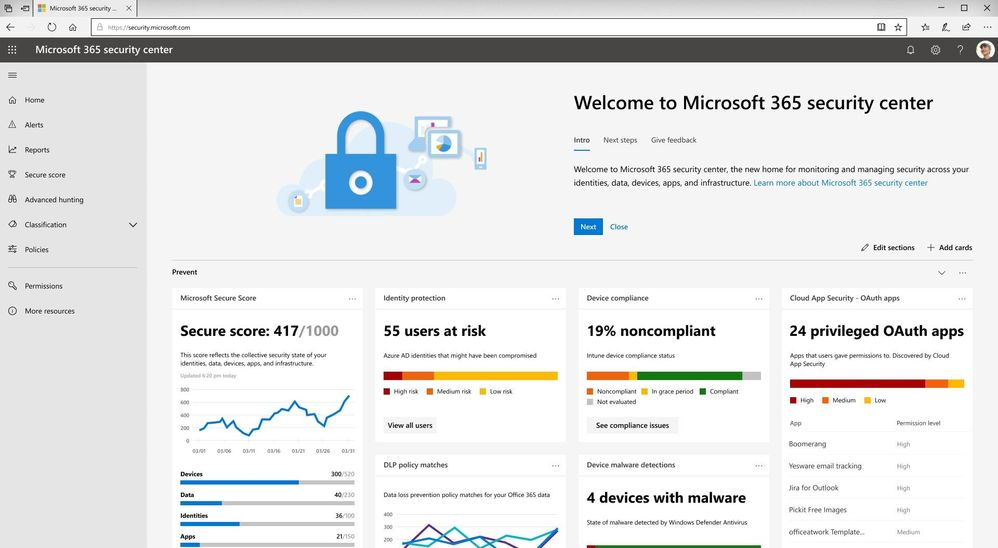
Microsoft 365 is the backbone of most construction IT environments — but default settings are not secure enough for jobsite operations.

Improper configuration can result in:

  • Email compromise
  • File-sharing errors
  • Lost project data
  • Insurance non-compliance

Here’s how to configure Microsoft 365 correctly.


1. Enforce MFA Across All Accounts

Required for:

  • Outlook
  • SharePoint
  • Teams
  • Admin accounts

MFA should not be optional.

MFA is now a baseline insurance requirement. Construction companies reviewing Microsoft 365 security should understand the full scope of cyber insurance requirements for construction companies.


2. Structure SharePoint for Project-Based Access

Avoid dumping files into one shared folder.

Instead:

  • Create project-based libraries
  • Restrict access by role
  • Use expiration rules for external sharing

Not sure where you stand? We help construction companies identify IT risks, insurance gaps, and jobsite issues before they become problems.

Request a Risk Review

3. Enable Advanced Email Protection

Use:

  • Anti-phishing policies
  • DMARC/SPF/DKIM
  • Attachment sandboxing

Construction companies are prime invoice fraud targets.


4. Implement Conditional Access Policies

Restrict:

  • Foreign logins
  • Risky IP addresses
  • Non-compliant devices

5. Manage Devices with Endpoint Control

Require:

  • Encryption
  • Compliance checks
  • Remote wipe capability

Poor device management often leads to preventable outages. Contractors should also understand what acceptable IT response times for active construction jobsites should look like when issues occur.


Real Example

A GC with 61 employees reduced phishing incidents by over 70% after enabling advanced email protection and conditional access.


Final Takeaway

Microsoft 365 must be configured for a mobile, multi-location workforce — not a static office.


Talk to a Construction IT Expert

If you’re a general contractor or subcontractor with 20–100 employees and want to understand your real IT risks, costs, or gaps, talk to an expert who specializes in construction environments.

 No pressure. Just clear answers.

Get a Construction IT Assessment

Recent Posts

Construction team dealing with IT-related issue
What Are the Most Common IT Mistakes Construction Companies Make? March 18, 2026
Construction team reviewing project contract and planning requirements
What IT Should Be Checked Before Signing a New Construction Project Contract? March 17, 2026
Construction executive reviewing IT staffing decisions
As construction companies grow, leadership often wonders whether it’s time to hire an internal IT manager. March 11, 2026
Construction team reviewing project contract and planning requirements
How Should a Construction Company Build a 3–5 Year IT Roadmap? March 10, 2026

Archives

  • March 2026
  • February 2026
  • January 2026
  • April 2025
  • March 2025
  • May 2024
  • April 2024
  • March 2024
  • February 2024
  • January 2024

Categories

  • BCDR
  • Cloud Services
  • Compliance
  • Cybersecurity
  • Digital Technology
  • Hybrid Workforce
  • Managed IT Services
  • Ransomware
  • Resources
  • Technology
  • Training
  • Vendor Management
M-Squared Networks
Providing IT support for construction companies, contractors, professional services firms, and small businesses across Orange County, Los Angeles County, Riverside County, and the Inland Empire.

Industries

  • Construction
    • Inland Empire
    • Los Angeles County
    • North Orange County
    • Orange County
    • Riverside County
  • Professional Services

Contact Info

  • 18340 Yorba Linda Blvd.
    Suite 107-197
    Yorba Linda, CA 92886
  • (714) 983.7646
  • info@msquarednetworks.com

Follow Us On

© 2026 M-Squared Networks, LLC | All Rights Reserved

  • Home
  • About
    • Meet the Founder
  • Who We Serve
    • Construction
      • Inland Empire
      • Los Angeles County
      • North Orange County
      • Orange County
      • Riverside County
    • Professional Services
  • Services
    • Managed Services
    • Cybersecurity Services
    • Cloud Services
  • Blog
  • Contact